What is F in G-code? Understanding Feed Rate in CNC Programming

What is F in G-code? Understanding Feed Rate in CNC Programming
When working with CNC machines, mastering G-code is essential for creating precise, efficient toolpaths. One of the most important — and often misunderstood — commands in G-code is the “F” word, which stands for Feed Rate.
Whether you're cutting metal, plastic, or composites, the F command tells your CNC machine how fast the tool should move through the material. In this article, we’ll explain what F in G-code means, how it works, and how to use it effectively in CNC programming.
🛠️ What Does “F” Mean in G-code?
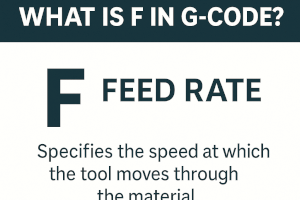
In G-code, the letter F specifies the feed rate — the speed at which the cutting tool or machine moves along its programmed path. The feed rate is typically measured in:
- Inches per minute (IPM) when using G20 (inch mode)
- Millimeters per minute (mm/min) when using G21 (metric mode)
✅ Basic Syntax of the F Command
G01 X50 Y25 F100This line tells the machine to:
- Use linear interpolation (G01)
- Move to coordinates X50 Y25
- At a feed rate of 100 units per minute (IPM or mm/min depending on mode)
📌 When is F Used?
The F command is most commonly used with:
- G01 – Linear cutting moves
- G02 / G03 – Circular interpolation (arcs)
- Drilling cycles – Like G81, G83, etc.
It is not used during rapid positioning (G00), since G00 ignores feed rate and moves as fast as possible.
📏 Feed Rate Units in G-code
| Command | Mode | Feed Rate Units |
|---|---|---|
| G20 | Inch mode | Inches per minute (IPM) |
| G21 | Metric mode | Millimeters per minute (mm/min) |
⚙️ How F Affects Machining
Choosing the right F value is crucial. Too fast and you risk:
- Tool breakage
- Poor surface finish
- Overheating
Too slow and you’ll:
- Waste cycle time
- Increase tool wear due to rubbing
Feed rates depend on:
- Material hardness
- Tool type & diameter
- Spindle speed (S)
- Depth of cut
💡 Best Practices for Using F in G-code
- Start with Manufacturer Recommendations: Use speeds and feeds provided by tool suppliers.
- Test and Adjust: Simulate and fine-tune based on chip load and surface finish.
- Use Consistent Units: Don’t mix G20 and G21 without resetting your F values accordingly.
- Keep It Safe: Use slower feed rates for setup runs or testing new toolpaths.
- Don’t Re-enter F Unnecessarily: Once set, F stays active until changed — no need to repeat unless adjusting.
🧠 F vs S in G-code
F = Feed Rate (how fast the tool moves through the material)
S = Spindle Speed (how fast the tool spins, in RPM)
Both must be optimized together for best cutting performance.
🧮 Quick Example: Feed Rate Formula (For Milling)
To calculate feed rate:
Feed Rate (IPM) = RPM × Number of Flutes × Chip LoadThis gives you a baseline to use with your F command in G-code.
Conclusion
The F in G-code is a fundamental parameter that controls your feed rate — the speed at which the cutting tool moves through the material. Whether you're milling, drilling, or contouring, getting your feed rate right ensures better part quality, longer tool life, and faster production.
Always pair feed rate with proper spindle speed, tool selection, and material considerations to optimize your CNC machining performance.
Related Searches:
- What is feed rate in CNC machining?
- G01 vs G00 in G-code
- How to calculate speeds and feeds
- G-code cheat sheet for beginners
Need help programming your next CNC job? Visit CNCMachines.com to find expert tips, tools, and top-quality CNC machines for any application.