What is R in G-code? | Understanding the 'R' Parameter in CNC Programming

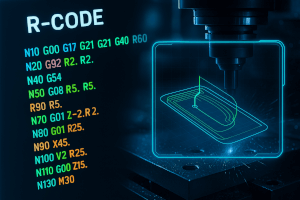
What is R in G-code? Understanding the 'R' Parameter in CNC Programming
When programming CNC machines using G-code, every letter has a meaning. Among them, the 'R' parameter is one of the most commonly used — especially in commands that involve circular motion or peck drilling. If you’re a CNC programmer, machinist, or just getting started with CNC machining, understanding how 'R' is used can help you produce cleaner toolpaths and avoid programming errors.
🔧 What Does 'R' Stand for in G-code?
In G-code, R typically represents a radius or a retract distance, depending on the specific command and context in which it’s used. The meaning of 'R' can vary slightly, but its two main uses are:
1. 'R' for Radius in Circular Interpolation (G02 / G03)
When using G02 (clockwise) or G03 (counter-clockwise) to program arcs, the 'R' defines the radius of the arc.
G02 X50 Y50 R25This command tells the machine to cut a clockwise arc from the current position to (X50, Y50) using a radius of 25 units.
📌 Notes:
- The arc must be less than or equal to 180°.
- For arcs greater than 180°, it’s safer to use the IJK format, which defines the arc using vector offsets instead.
2. 'R' for Retract Height in Peck Drilling (G73 / G83)
In drilling cycles, such as G73 (high-speed peck) or G83 (deep-hole peck drilling), the 'R' value is the retract plane — the Z-height the tool pulls back to between pecks.
G83 X0 Y0 Z-20 R2 Q5 F100This line instructs the machine to:
- Drill at point (0,0)
- Go down to Z-20 in increments (Q) of 5mm
- Retract to R2, or 2mm above the part surface, between pecks
- Feed at 100mm/min
📌 Notes:
- 'R' must be above the final depth (Z).
- It’s typically just above the part surface to minimize wasted motion.
🧠 Why 'R' Matters in G-code Programming
- ✅ Precision: Correctly using the 'R' value ensures accurate arcs and hole depths.
- 🚫 Avoid Collisions: Incorrect 'R' values in peck drilling can cause crashes if the tool retracts too far or not enough.
- 🛠️ Simplified Code: In arc programming, 'R' is easier and cleaner than using IJK in many simple situations.
💡 Best Practices When Using R
- Check Machine Compatibility: Some controllers behave differently with 'R' in G02/G03. Always test or simulate.
- Use IJK for Full Circles: If you need to program arcs over 180°, use IJK to avoid ambiguity.
- Set Safe R-values in Drilling: Ensure 'R' is above clamps, workholding, or part geometry to prevent collisions.
Conclusion
The 'R' in G-code is a versatile parameter that either defines the radius of an arc or the retract height during drilling. Understanding the context in which it’s used is key to writing safe and efficient CNC programs. Whether you're contouring with G02/G03 or drilling with G83, mastering the use of 'R' helps streamline operations and improve machining accuracy.
Related Searches:
- What is G02 vs G03?
- How to program G83 peck drilling
- IJK vs R in G-code arcs
- G-code radius vs center point programming
Would you like a version of this article optimized for your CNCmachines.com blog with internal links and CTAs?